Build a client’s workout in minutes and send it in the app, not as a PDF
Writing programs should not eat your afternoon. In Personal Buddy you drag exercises in, set the work, and send. One of the trainers using it says he hands off a session in under two minutes — with his own demo videos on the movements.
Why writing programs is still so slow
You copy last month’s document, screenshot it into a chat, then retype the same sequence with new loads. Every client turns into a file. The moment someone asks what happens next week, you start over.
The problem is not your training knowledge. It is the lack of a programming flow that keeps up with how you already think when you design a session.
How drag-and-drop works
You build visually, using library exercises or the ones you added with your own video. Sets, reps, and notes live on the same card, so there is no table to format.
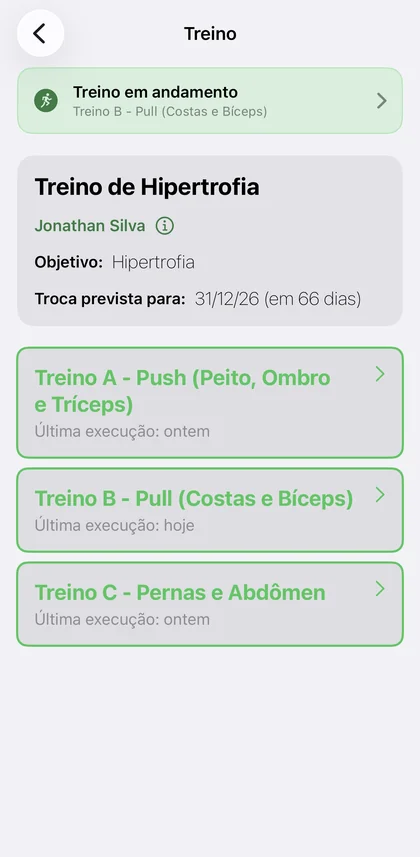
When the session is ready, your client gets it in the app on iPhone or Android, with a notification attached. You stop fielding requests to resend the PDF.
- A ready-made library plus your own video on any exercise
- Edit sets visually, without reformatting a document
- Delivery straight to the client app, with a notification
From today’s session to the next without starting over
If you periodize, the next workout can be scheduled and delivered on the right date. Writing programs becomes a system instead of an endless copy-and-paste job.
Frequently asked questions
- Can I use my own exercise videos?
- Yes. Alongside the library, you can record or upload your own demos and attach them to any exercise, so your client sees your coaching rather than a generic clip.
- Is there a cap on workouts or exercises?
- No. No plan limits how many workouts, sets, or exercises you create.
- Does my client need an iPhone?
- No. Clients have an app on iPhone and Android.