How to choose a personal trainer app
Every tool looks good on its own sales page. What separates a good decision from a regret three months later is looking at your own week: how long you spend writing programs, what your clients actually open on their phones, and what you need to see once training is done. This is the checklist we use for that question — including when the answer is not Personal Buddy.
Start from the bottleneck, not from the feature list
A list of forty features tells you nothing about your week. Before comparing tools, write down where your time actually goes today: building programs, re-sending files, chasing logs, pulling scattered information together, redoing a plan by hand.
Once the bottleneck is written down, everything below stops being curiosity and becomes a criterion. A tool can be excellent and still solve somebody else’s problem.
Speed to write a program, and to change one
Building the first workout is easy in any tool. The real test is month two: swapping one client’s program, reusing a structure you already trust, and adjusting sets without reformatting anything.
During a trial, time two tasks yourself: creating a session from scratch, and deriving the following session from it.
- Can I build visually, with no table to format?
- Are there templates for what I repeat across clients?
- Is editing sets and notes quick, or is it rework?
- Is delivery automatic, or am I still sending files?
Your client’s experience is half the decision
You can love a tool and watch your clients abandon it. Check how the session reaches them, what happens when they do not own the “right” phone, and whether they can log a session without instructions from you.
Ask specifically what Android users get: a store app, the browser, or nothing at all.
- Does it work on iPhone and Android — and how, on each?
- Does the client see a demo video or only an exercise name?
- Can they log what they did without a tutorial?
- Do they create yet another account, or join through an invite?
Periodization and automatic delivery
Planning a block is easy; holding the plan together across a roster is logistics. The question is whether the tool delivers the next session on the agreed date, or whether that still depends on your memory.
Be wary of vague claims about automation. Check whether the automatic part is the delivery, or whether the tool is promising to make programming decisions for you. Those are very different products.
- Can I schedule a sequence of sessions in advance?
- Does the client see the new session on the right date, unprompted?
- Can I change things mid-cycle without dismantling the plan?
What you can see once training has happened
This is where you should get pedantic. “Full reporting” means nothing. Ask what unit each number is in: sets? reps? kilos? And ask whether the number comes from the session you prescribed or from the one your client completed.
Check the slice too: per exercise, per muscle group, per week? Each slice answers a different question, and no tool answers all of them.
- What exactly is the unit behind each metric on screen?
- Does the number come from the prescribed session, the completed one, or both?
- Can I see how load on one exercise moved over time?
- Can I see whether a session came out unbalanced?
Intake forms, assessments, photos, and your own videos
Much of the work is not the programming itself: it is the initial intake, the assessment, the progress photo, the video with your own correction. If that does not fit inside the tool, it goes back into chat threads and a cloud folder.
Pay particular attention to the exercise library. Using your own footage is what makes a client recognise your coaching instead of a stock demonstration.
- Are intake forms mine to design, or a fixed questionnaire?
- Do measurements, skinfolds, and photos live on the client profile?
- Can I add exercises with my own video?
- Can I send documents and announcements without leaving the tool?
Migration, learning curve, and support
Migration is rarely one click, and anyone promising otherwise will usually disappoint you. What you can reasonably demand is clarity: what comes across, what has to be re-entered, and who helps.
On the learning curve, a good sign is being able to build and send a real session on day one without watching training videos. On support, check whether there is a channel with a person behind it, and during which hours.
- Will someone help with migration and be honest about the messy parts?
- Can I produce something useful on my first day?
- Is there a direct support channel with a sensible response time?
- Where does the data live, and what happens if I leave?
Pricing by roster size — and a trial with a real client
Compare pricing against the number of clients you have today and the number you expect in six months. Wide tiers can be expensive when you coach three people; narrow tiers punish you as you grow.
The best trial is not a guided tour. It is putting one real client in, writing the program you would have written anyway, asking them to train for a week, and seeing how much work is left on your Friday.
- Does the price follow my number of active clients?
- Can I trial it without a card and without a tight clock?
- Can I run the trial on a real client rather than dummy data?
- If I walk away, what did it cost me?
How Personal Buddy answers this checklist
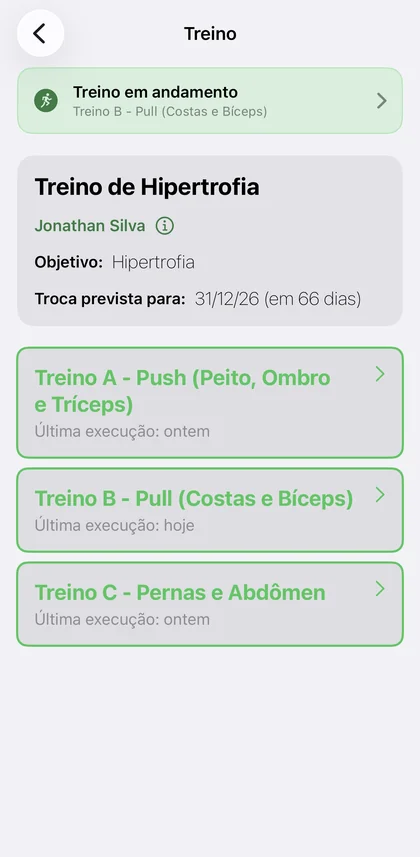
Drag-and-drop programming with a library and your own videos; periodization that delivers the next session on the date you set; intake forms you design, assessments, and photos on the client profile; clients joining by invite link; a client app on iPhone and Android.
For follow-up, two numbers with the unit stated out loud: how your prescribed sets are spread across muscle groups, and the load history in kilos per exercise, built from what your client logged. Clients on an Apple Watch also bring the session’s heart rate along with the workout record.
The trial is exactly what we recommend above: the Free plan covers 1 active client with every feature and no card. Outside Brazil, that access opens through the waitlist — and this checklist stays useful for whatever tool you evaluate next.
Frequently asked questions
- Is it worth trying more than one tool at once?
- It is, as long as you use the same client and the same program in both. Comparing a careful trial with a rushed one only tells you something about how tired you were.
- How many clients should I put into a trial?
- One, and a real one. A single client training for a week tells you more than ten dummy profiles, and it puts nothing at risk if you walk away.
- How do I know whether migration will be painful before I commit?
- Ask support exactly what transfers and what has to be re-entered, and tell them where you are coming from. A vague answer to that question is itself an answer.
- Should I decide on price alone?
- Price matters, but the real cost includes your time. A cheap subscription that keeps you re-sending programs on the weekend usually turns out to be the expensive option.